STL vs 3MF for 3D printing
STL vs 3MF: Which File Format Is Better for 3D Printing?
STL is the familiar format for sharing 3D model geometry. 3MF is the better format when a print needs color, material, or project data. The right choice depends on whether you only need the shape, or whether you need the full print plan to survive the handoff.
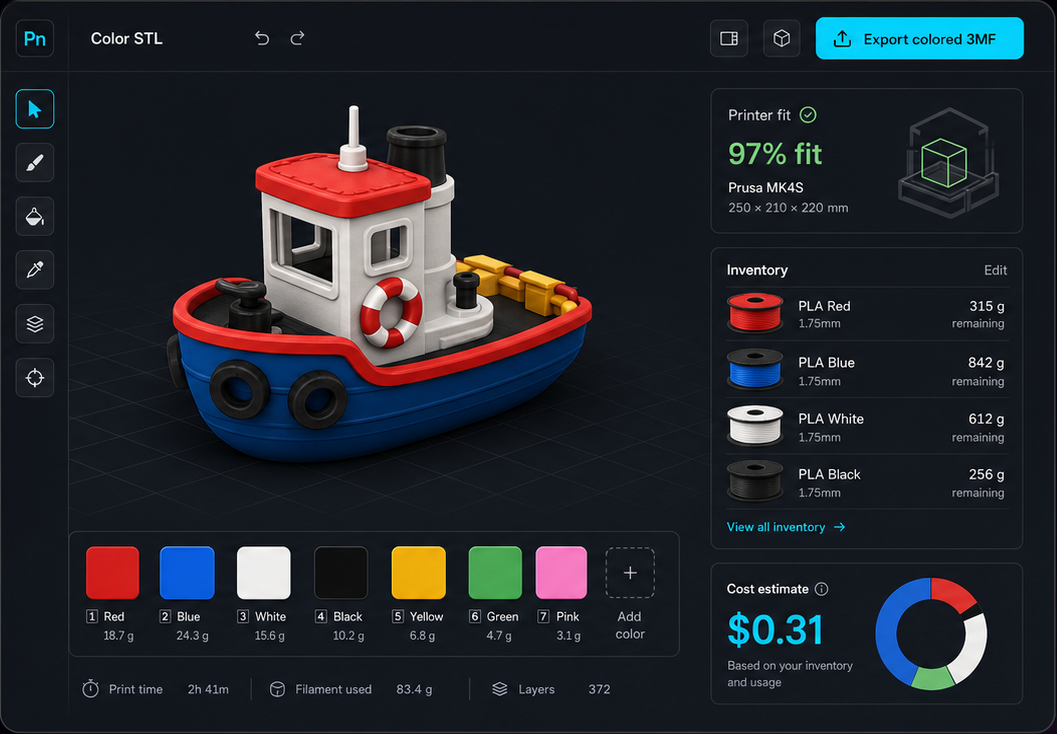
Quick answer
Use STL for simple geometry. Use 3MF for color-ready print workflows.
STL is still a good format for single-color model sharing. 3MF is usually better when you need to preserve color assignments, material choices, slicer project data, or a richer print handoff.
The practical rule
Choose STL when
You only need the shape.
Choose 3MF when
You need the print plan.
Comparison table
STL vs 3MF feature comparison
Both formats can be useful. The biggest difference is that STL usually carries geometry only, while 3MF can carry richer print workflow data.
| Feature | STL | 3MF | Takeaway |
|---|---|---|---|
| Geometry | Stores mesh geometry | Stores mesh geometry | Both formats can represent printable model shape. |
| Color | Usually not preserved | Can preserve color assignments | 3MF is better for multi-color printing workflows. |
| Material data | Not reliable | Can include material/project data | Use 3MF when material choices matter. |
| Slicer project context | Minimal | Stronger | 3MF can carry more setup information into modern slicers. |
| Modern slicer support | Yes | Yes | Both work in Bambu Studio, Orca Slicer, PrusaSlicer, and most modern workflows. |
| Compatibility | Very broad | Broad in modern 3D printing tools | STL is still useful for sharing simple models. |
Use STL
When STL is the better choice
STL is not bad. It is just limited. For simple model geometry, those limits are often acceptable.
You are sharing a simple single-color model.
You need maximum compatibility with older tools.
You only care about the model shape, not color or material assignments.
The final slicer workflow will handle all setup from scratch.
Use 3MF
When 3MF is the better choice
3MF becomes more valuable as soon as the print workflow needs more than the mesh shape.
You need multi-color or multi-material assignments.
You want to preserve slicer/project setup details.
You are sending a color-ready model to Bambu Studio, Orca Slicer, PrusaSlicer, or another modern slicer.
You want a cleaner handoff from planning to printing.
Color printing
Why 3MF matters for multi-color 3D printing
Color is where STL usually falls short. A color plan needs to survive from the design or painting step into the slicer. That is exactly where 3MF is more useful.
Color assignments
3MF can preserve which areas or parts should use each color.
Material context
3MF can carry richer material and project details than a plain STL.
Slicer handoff
Modern slicers can use 3MF as a stronger bridge between planning and printing.
Want to create a colored 3MF?
Use Color Studio to color an STL with AI or manual tools, match real filament, edit printable regions, and export a slicer-ready multicolor 3MF.
Use Color StudioPrintNext workflow
A practical STL to 3MF workflow
PrintNext connects the file-format decision with the actual 3D printing workflow: color planning, filament inventory, printer fit, saved projects, and final slicer handoff.
Workflow path
Start with STL for geometry
Many models begin as STL files because the format is common and easy to share.
Add color or material planning
Use a visual tool or slicer workflow to assign colors, materials, and print context.
Save or export 3MF
Use 3MF when those color and material choices need to travel into the next tool.
Verify in the slicer
Before printing, reopen the 3MF and confirm color assignments, filament mapping, and printer profile.
Common mistake
Do not color a model and then export it back to STL.
This is the most common reason color disappears. The model shape remains, but the color assignments may be lost. If the point of the workflow is multi-color printing, save or export a 3MF and verify it in the slicer.
Rule of thumb
If color or material matters, do not treat STL as the final handoff. Use STL to start, then use 3MF to preserve the print plan.
STL vs 3MF FAQ
Is 3MF better than STL?
3MF is usually better for modern 3D printing projects that need color, material, or slicer setup data. STL is still useful for simple geometry and broad compatibility.
Why do people still use STL files?
STL files are simple, widely supported, and common across 3D model libraries. For single-color prints, STL is often enough.
Does STL store color?
In most 3D printing workflows, STL should be treated as geometry-only. Some edge cases exist, but color assignments usually do not survive reliably in STL.
Does 3MF store color?
3MF can preserve color and material information in many modern slicer workflows, which makes it a stronger choice for multi-color printing.
Should I convert every STL to 3MF?
No. Convert or export to 3MF when you need richer project data. If the model is simple and single-color, STL may be fine.
What format should I use for Bambu Studio, Orca Slicer, or PrusaSlicer?
Use STL when you only need basic model geometry. Use 3MF when you want color, material, or project assignments preserved in the slicer workflow.
Test the handoff with one small model
Take a simple two-color nameplate. Keep its STL as the uncolored geometry source, then save the prepared colored version as a compatible 3MF. Reopen that 3MF in the slicer you intend to use and verify the letters, base, size, and assignments. This confirms the information your specific workflow preserves before you paint a much more complex model.
- Changing a filename extension is not conversion.
- An STL export does not preserve an existing paint plan.
- A 3MF container can carry different kinds of data; verify the specific file and application.
Best recommendation
Use STL when you only need model geometry. Use 3MF whenever color assignments, material settings, or slicer project data need to survive into the next stage of the workflow.
Convert STL to 3MF